Your app passed its security scan. But what happens after it reaches a device you don’t control?
Security testing is essential before an application goes live. SAST, DAST and penetration testing can identify vulnerabilities and weaknesses before release. But a security scan only provides a snapshot of your application’s security during testing. Once your mobile app is published, it runs on real devices, real networks and environments that your security team cannot control. Attackers can use rooted or jailbroken devices, debuggers, hooking tools, modified application packages and hostile networks to target the app at runtime.
This is where Runtime Application Self-Protection (RASP) comes in.
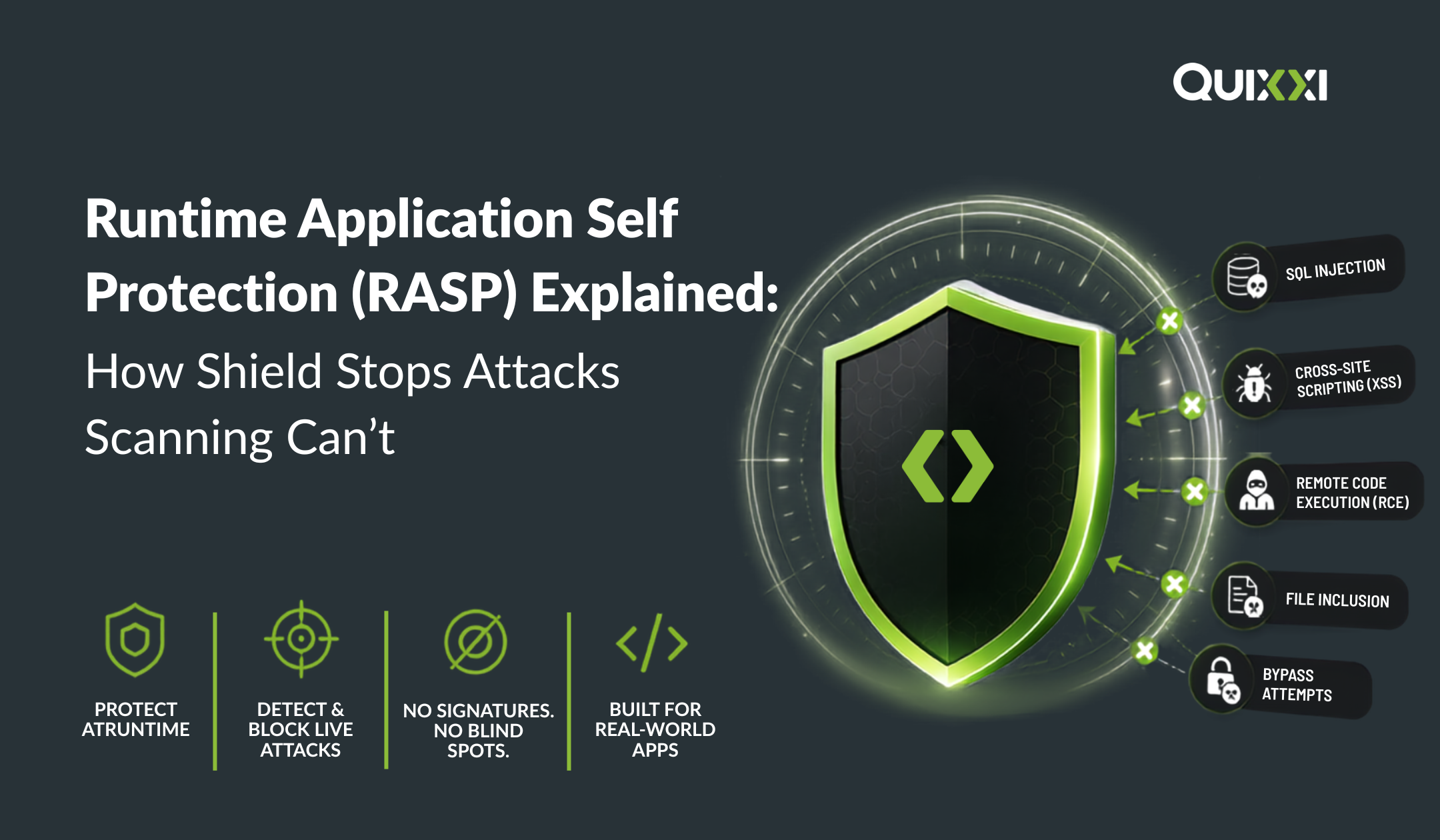
RASP adds security capabilities to the application so it can monitor its runtime environment and respond to certain threats while the application is executing.
Fortinet’s RASP overview Rapid7’s RASP fundamentals
Scanning tells you your app was secure before release. RASP helps protect it after release.
What Is RASP?
Runtime Application Self-Protection is a security approach that monitors an application while it is running and can detect and respond to potentially malicious runtime conditions. For mobile applications, this is particularly important because the application binary is distributed to devices outside the organisation’s direct control.
Think of the difference this way:
Security scanning:
“Can we find vulnerabilities in the application?”
RASP:
“What is happening to the application right now, and should it continue running?”RASP therefore complements, rather than replaces traditional application security testing. Contrast Security’s RASP explanation
Why Scanning Alone Isn’t Enough
Pre-release scanning remains a critical part of application security, but some threats only become relevant once the application is running in the real world.
Rooted and Jailbroken Devices
A user may run an application on a rooted Android device or jailbroken iOS device. These environments can weaken the normal security assumptions of the application.
Quixxi Shield includes root and jailbreak detection to identify these conditions.
Debuggers and Hooking Tools
Attackers can attach debugging or runtime instrumentation tools to inspect and manipulate application behaviour.
Quixxi Shield includes debugger, emulator and Frida detection as part of its runtime protection capabilities.
Cloned and Repackaged Applications
An attacker can modify an application after compilation and distribute a tampered or repackaged version.
Quixxi Shield provides application integrity verification, helping detect changes to the protected application.
Man-in-the-Middle Attacks
Mobile applications communicate with APIs and backend services across networks that the organisation does not control. Attackers may attempt to intercept or manipulate that communication.
Quixxi Shield supports SSL/TLS protection and SSL pinning to help protect application communications against interception.
These are runtime and post-release risks that a conventional pre-release scan cannot completely address.
How Quixxi Shield Works
Quixxi Shield is designed to add protection to Android and iOS applications through a codeless, binary-based shielding approach. Rather than requiring developers to redesign their application, Shield applies configured protection capabilities to the application. Depending on the selected protection configuration, shield can provide:
- Root and jailbreak detection
- Debugger detection
- Emulator detection
- Frida detection
- Application integrity verification
- SSL pinning
- Runtime protection against manipulation and tampering
The objective is straightforward: give the application the ability to recognise security conditions that may indicate an attack or compromised environment while it is running.
Detection Isn’t Always the Same as Blocking
RASP should not be thought of as simply an on/off switch. Security teams may want to diagnose and monitor runtime conditions during testing or deployment before applying stronger enforcement. In a diagnostic-oriented configuration, security events can be observed and investigated. In a protection-oriented configuration, the application can actively respond to configured conditions. For example, Quixxi documents configurations where an integrity failure or debugger detection can cause the application to terminate. This gives organisations flexibility to balance security requirements with user experience.
RASP vs Obfuscation vs Encryption
RASP, obfuscation and encryption are sometimes discussed together, but they solve different security problems.
Obfuscation
Goal: Make the application harder to reverse engineer.
Obfuscation changes code structure, names or other application characteristics to make analysis more difficult.
Encryption
Goal: Protect sensitive information.
Encryption protects data so it cannot be easily understood without the appropriate key.
RASP
Goal: Protect the application while it runs.
RASP focuses on detecting runtime conditions and responding to threats during application execution.
These technologies are complementary, not interchangeable.
A strong mobile application security strategy can use obfuscation to make reverse engineering harder, encryption to protect sensitive information and RASP to provide runtime detection and protection.
RASP Doesn’t Replace Security Scanning
RASP is not a replacement for SAST, DAST, penetration testing or secure development practices.
Instead, each technology addresses a different point in the application lifecycle.
Before release:
- SAST identifies weaknesses in source code.
- DAST tests application behaviour.
- Penetration testing identifies exploitable vulnerabilities.
- Security reviews help developers address weaknesses before deployment.
After release:
- RASP monitors runtime conditions.
- Integrity checks can identify application modification.
- Root/jailbreak and debugger detection can identify compromised environments.
- Runtime protection can respond to configured threats.
This creates a more complete security approach:
Find vulnerabilities → Fix vulnerabilities → Protect the application → Monitor what happens after deployment.
Why RASP Matters for Mobile Apps
Mobile applications have a unique security challenge: the attacker can have direct access to the environment where the application runs.
Your backend infrastructure may be secured. Your development environment may be secured. Your CI/CD pipeline may be secured. But the application is ultimately running on a device that may belong to somebody else. That is why mobile application security needs to extend beyond the development and testing environment.
A successful security scan is a milestone not the finish line.
The Quixxi Approach
Quixxi takes a layered approach to mobile application security.
Scan to identify vulnerabilities. Shield to add runtime protection and application hardening. Supervise to provide visibility into deployed applications.
Together, these capabilities help organisations address security throughout the mobile application lifecycle rather than relying exclusively on pre-release testing.
Protect Your App Beyond the Scan
Your application may have passed every security test before release. But what happens when an attacker runs it on a rooted device? What happens when the application has been modified or repackaged? What happens when someone attempts to intercept its communications?
That’s the gap RASP is designed to address.
Quixxi Shield helps extend mobile application security from the development environment into the runtime environment, where attacks can actually happen.
Scan before release. Shield for runtime. Supervise after deployment. [/vc_column_text][/vc_column][/vc_row]